
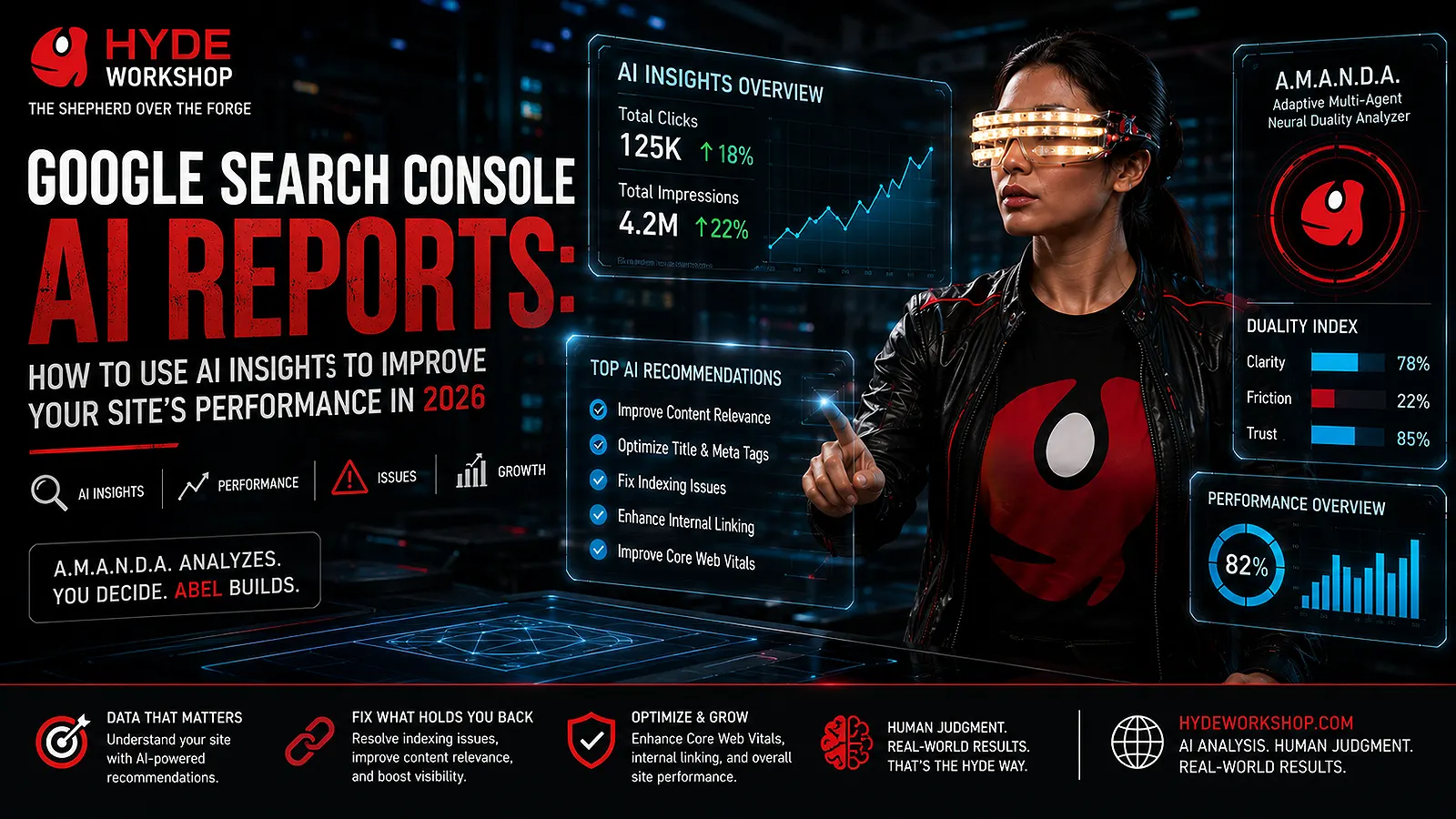
Search Console AI Reports Provide a New View of AI Visibility
Search Console AI Reports provide a dedicated view of how a website appears within Google’s generative-AI search features. The report can help publishers identify pages receiving impressions in AI Overviews and AI Mode, compare visibility by country or device, monitor changes over time, and convert those patterns into better editorial decisions.
Google launched the dedicated generative-AI performance reports in Search Console in June 2026.Access is still limited to a subset of Search Console properties, and a site may not see the report if it has not received enough impressions in supported generative-AI features.
The important distinction is that visibility does not automatically mean traffic, engagement, or business value. An impression means that a link to your website was shown within a supported generative-AI feature. It does not mean that the visitor clicked the result, read the article, or completed an action on the website.
For Hyde Workshop, Search Console AI Reports should be treated as an editorial signal—not as an automatic content generator. The data can reveal where Google is already finding relevance, but human analysis is still required to determine what should be updated, expanded, consolidated, or left unchanged.
What Search Console AI Reports Actually Measure
Google’s official Generative AI performance report documentation explains that the Search report includes impressions from AI Overviews and AI Mode and can be organized by pages, countries, devices, and dates.
The dedicated Search report currently includes impression data from:
- AI Overviews
- AI Mode
The report can group that data by:
- Pages
- Countries
- Devices
- Dates
Use the Hyde Workshop Agentic Editorial Board to convert performance signals into supervised article updates without allowing automation to publish unchecked content.
Google states that experiments running inside Search Labs are not included. The report also uses many of the same limitations as the standard Search Performance report, including the usual row and aggregation constraints.
The chart displays total impressions across the selected period. The table breaks those impressions down by the selected dimension. Because chart data and table data can use different aggregation methods, their totals may not always match exactly.
This is not necessarily an error. A property-level chart may count several results from the same site differently from a table grouped by individual page. Google documents these aggregation differences as an expected part of performance reporting.
1. Confirm Access and Understand the Report’s Limits
Begin by opening the appropriate Search Console property and looking for the generative-AI performance report.
When the report is not visible, the most likely explanations are:
- Google has not enabled it for that property yet.
- The property has not received enough supported generative-AI impressions.
- The site has been excluded from participating in Google’s generative-AI Search features.
Google is rolling the report out gradually rather than enabling it for every property at once.
Do not create a new article solely because the report is unavailable. Continue using the standard Search Performance report to evaluate queries, landing pages, clicks, impressions, click-through rate, and average position.
The standard report remains useful because the dedicated generative-AI report is not a complete replacement. It provides a specialized view of AI-feature impressions, while the standard report provides broader performance information.
A practical Search Console AI Reports workflow begins by understanding exactly what the available data can—and cannot—prove.
2. Find the Pages Receiving AI Search Impressions
Open the Pages dimension to identify which canonical URLs are appearing in supported generative-AI search features.
This can reveal:
- Older articles that remain relevant
- New articles beginning to gain visibility
- Topic areas Google associates with your site
- Pages that may deserve stronger internal links
- Articles that could benefit from improved explanations
- Pages receiving visibility despite weak standard-search traffic
Search Console generally assigns performance data to the canonical URL Google recognizes for the content. Redirected or duplicate URL variations are usually consolidated under that canonical page.
Do not assume that the page with the most AI impressions is automatically your best article. High visibility can result from broad relevance, current demand, or repeated appearances in supporting contexts.
Review the page itself and ask:
- Does the article answer the search problem directly?
- Is the information current?
- Are important claims supported by reliable sources?
- Does the page contain clear headings?
- Is the article easy to read on mobile?
- Are there relevant internal links?
- Does the page provide original analysis?
- Is the featured image accurate and properly described?
The goal is not merely to preserve impressions. It is to improve the page so that the visibility becomes useful to real visitors.
3. Compare Visibility Trends Over Time
Use the Dates dimension to compare performance across days, weeks, or months.
The report can help identify whether generative-AI impressions are:
- Increasing gradually
- Declining
- Remaining stable
- Appearing only during a short-lived news cycle
- Concentrated around a specific article update
- Changing after a new internal-link campaign
Google allows date data to be viewed at different levels of granularity. The newest data may also be preliminary and can change while Google finishes processing it.
Avoid making a major editorial decision from one short spike.
A sudden increase may reflect temporary interest, a trending event, or a reporting fluctuation. Compare longer periods before concluding that a topic deserves a new content cluster.
For Hyde Workshop, a stronger method is:
- Compare the last 28 days with the previous 28 days.
- Check whether the same pages remain visible.
- Review standard Search performance for those pages.
- Check whether engagement improved in Analytics.
- Update the content only when the pattern is meaningful.
Search Console AI Reports become more useful when they are interpreted as a trend rather than a single number.
4. Analyze Device and Country Patterns
The dedicated Search report can group generative-AI impressions by device and country.
The device report may show visibility across:
- Mobile
- Desktop
- Tablet
The country report can reveal where the site’s generative-AI impressions originate.
These dimensions can support practical decisions.
For example, when most impressions come from mobile devices, check:
- Mobile font size
- Heading spacing
- Table overflow
- Tap-target size
- Image cropping
- Page speed
- Intrusive advertising
- Sticky elements
- Layout shifts
When one country generates a significant portion of visibility, review whether the article uses examples, terminology, measurements, or references that make sense for that audience.
Do not create country-specific versions of an article without a real editorial reason. The data should guide improvements, not produce unnecessary duplicate pages.
The device and country dimensions show where visibility occurs. They do not independently explain why the page was selected or whether the visitor found the article useful.
5. Connect AI Visibility With Standard Search Performance
For the broader optimization strategy, review Hyde Workshop’s Google AI Mode SEO guide, which explains how content quality, crawlability, internal links, media, and technical eligibility support search visibility.
The dedicated report is most valuable when compared with the standard Search Performance report.
The standard report can show:
- Queries
- Pages
- Clicks
- Impressions
- Click-through rate
- Average position
- Countries
- Devices
- Dates
Google’s standard reporting methodology counts an external-page click from AI Mode as a click. It also applies standard impression rules to AI Mode. AI Overview links generally need to be scrolled or expanded into view before an impression is counted.
Use the two reports together.
Example comparison
Suppose an article receives increasing generative-AI impressions but few standard-search clicks.
Possible explanations include:
- The page is being used as supporting material.
- The visible link is not attracting enough clicks.
- The title does not clearly communicate the benefit.
- The article addresses only part of the broader search need.
- Visitors receive enough information from the AI response and do not continue to the site.
- The article is relevant but not sufficiently differentiated.
Do not assume the solution is to repeat the focus keyword more often.
Review:
- The title
- Meta description
- Opening answer
- Heading structure
- Original evidence
- Practical examples
- Internal links
- Featured image
- Page speed
- Content freshness
A page can be technically visible while still needing a stronger reason for users to visit.
6. Turn the Findings Into Article Updates and New Topics
Search Console AI Reports should lead to controlled editorial actions.
Use the data to identify three types of opportunity.
Update an existing article
Update a page when:
- It already receives impressions.
- Important details are outdated.
- The opening answer is weak.
- The article lacks examples.
- Internal links are missing.
- A major section is too thin.
- The title no longer reflects the content accurately.
Do not rewrite the entire article when a targeted update will solve the problem.
Create a supporting article
Create a new article when:
- The existing page covers a broad topic.
- A related subtopic deserves a complete explanation.
- The new article serves a different search intent.
- The two pages can support each other through internal links.
- The subject fits an established Hyde Workshop category.
For example, the Google AI Mode SEO guide can link to this Search Console AI Reports article because one explains visibility strategy while the other explains performance measurement.
Consolidate overlapping articles
Consolidate content when:
- Two posts answer the same question.
- Both target nearly identical keywords.
- Neither article provides sufficient depth.
- Internal links cannot clearly distinguish their purposes.
- Search visibility is divided between weak duplicate pages.
The correct action is not always to publish more. Sometimes the strongest editorial decision is to merge, redirect, and improve.
7. Measure What Happens After the Search Impression
An AI-feature impression is only the beginning of the visitor journey.
Use Google Analytics or another privacy-conscious analytics platform to evaluate what happens after someone reaches the site.
Measure:
- Engaged sessions
- Average engagement time
- Scroll depth
- Internal-link clicks
- Contact-page visits
- Form submissions
- Returning visitors
- Video engagement
- Newsletter signups, when applicable
- Project inquiries
Google recommends evaluating meaningful impressions rather than merely increasing exposure to users who do not find the content useful.
A smaller number of well-matched visitors may be more valuable than a large amount of poorly matched traffic.
For Hyde Workshop, the central question is:
Did the article help the visitor understand the subject, make a decision, or complete a task?
Search Console AI Reports can indicate visibility. They cannot replace that human measure of usefulness.
Cain Risk: Confusing Impressions With Proven Traffic
The Cain path is treating every impression as a ranking victory.
Common risks include:
- Presenting impressions as clicks
- Presenting clicks as conversions
- Publishing articles for every temporary spike
- Using fake analytics in featured images
- Claiming Google selected the site as a trusted authority
- Assuming visibility guarantees future traffic
- Ignoring page quality after impressions increase
- Allowing automated tools to publish updates without review
This approach can produce thin content, duplicate topics, misleading claims, and weak user experiences.
It may also create AdSense quality concerns when pages are built primarily to capture impressions rather than provide meaningful publisher content.
Abel Value: Converting Visibility Patterns Into Editorial Decisions
The Abel path uses the report as one signal within a larger editorial system.
A responsible workflow includes:
- Reviewing AI-feature impressions
- Comparing standard Search performance
- Checking Analytics engagement
- Inspecting the visible article
- Identifying the actual content gap
- Updating only what needs improvement
- Adding relevant internal links
- Preserving human approval
- Monitoring the result over time
This turns Search Console AI Reports into a practical research tool rather than a vanity dashboard.
A.M.A.N.D.A. Verdict
Google’s official AI features and website guidance states that established SEO fundamentals still apply to AI Overviews and AI Mode. Pages must remain crawlable, indexable, useful, internally connected, and eligible to appear with a Search snippet.
Search Console AI Reports can help Hyde Workshop understand where its content appears inside Google’s supported generative-AI search features.
The report does not reveal every prompt, prove that an article is authoritative, guarantee a click, or replace the standard Search Performance report.
Use it to answer four questions:
- Which pages are receiving generative-AI impressions?
- Where and on which devices are those impressions occurring?
- Are the patterns stable enough to justify action?
- What specific editorial improvement would serve visitors better?
The strongest decision is usually targeted: improve an existing answer, strengthen an internal-link relationship, create one necessary supporting article, or consolidate overlapping content.
A.M.A.N.D.A.’s verdict is Abel with supervision: use the visibility signal, but require human judgment before changing the publishing plan.
The A.M.A.N.D.A. Analysis framework can help evaluate whether a proposed content update offers enough reader value to justify its risk, complexity, and maintenance cost.
Frequently Asked Questions
Why Don’t I See the Generative-AI Report in Search Console?
Google is rolling the report out to a subset of website owners. A property may also lack sufficient impressions in supported generative-AI Search features.
Continue using Google’s standard Search Performance report to evaluate queries, landing pages, clicks, impressions, click-through rate, and average position.
Does the Dedicated AI Report Show Clicks?
The current dedicated Search report focuses on generative-AI impressions and dimensions such as pages, countries, devices, and dates.
Standard Search Console performance reporting continues to include click, impression, click-through-rate, and average-position data. Google has stated that it may add more metrics to the dedicated reports over time.
What Counts as an AI Mode Impression?
Google applies standard impression rules to AI Mode. AI Mode clicks to external pages count as clicks, and follow-up questions are treated as new queries for reporting purposes.
Should I Create New Articles From Every Visible Page?
No.
First determine whether the existing article needs an update, whether a supporting topic serves a different search intent, and whether the new page would add substantial value.
Creating many overlapping articles can weaken topical clarity and split internal authority.
Can Search Console Guarantee More AI Search Traffic?
No.
Search Console reports what Google recorded. It does not guarantee future visibility, rankings, clicks, or conversions.
Use the information to improve editorial decisions, technical quality, accessibility, and visitor value.
Website owners can also explore the Hyde Workshop AI Lab for practical tools that support research, analysis, content production, and supervised workflows.
Final Thought
Search Console AI Reports add a useful visibility layer to Google’s existing performance tools.
Their value comes from disciplined interpretation—not from chasing every impression.
Identify the pages receiving visibility, compare the pattern with standard Search and Analytics data, inspect the content, and make the smallest high-value improvement that serves the reader.
That is how visibility data becomes better content.
Continue exploring practical AI, WordPress, and search-analysis coverage in Forge News.